Just type it. Sova gets it.
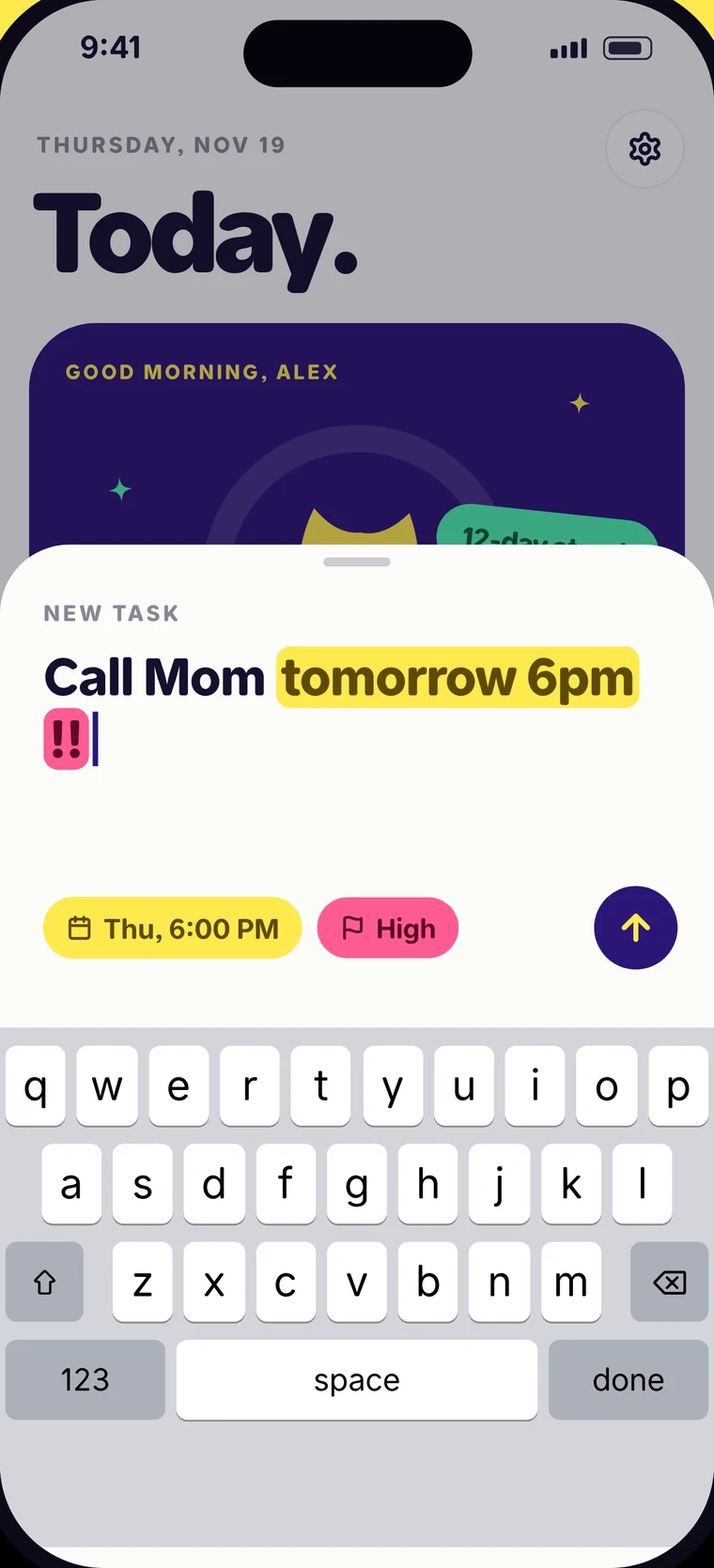
Write “Call Mom tomorrow 6pm !!” and Sova fills in the date, the time and the priority. “Every Monday” makes it repeat.
NEW TASK
Tasks, habits and goals in one app for iPhone. Type a task the way you would say it, tick it off, and see your day come together.
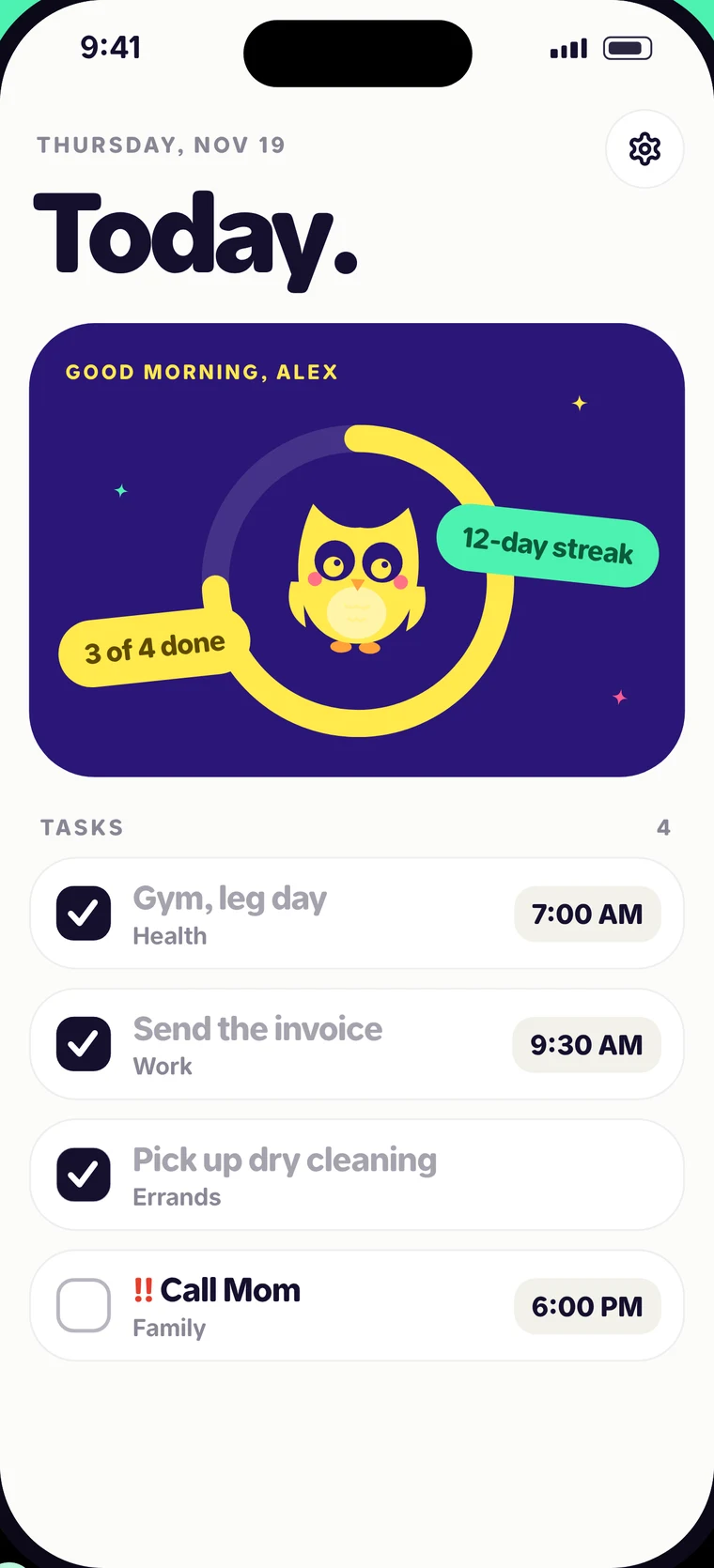
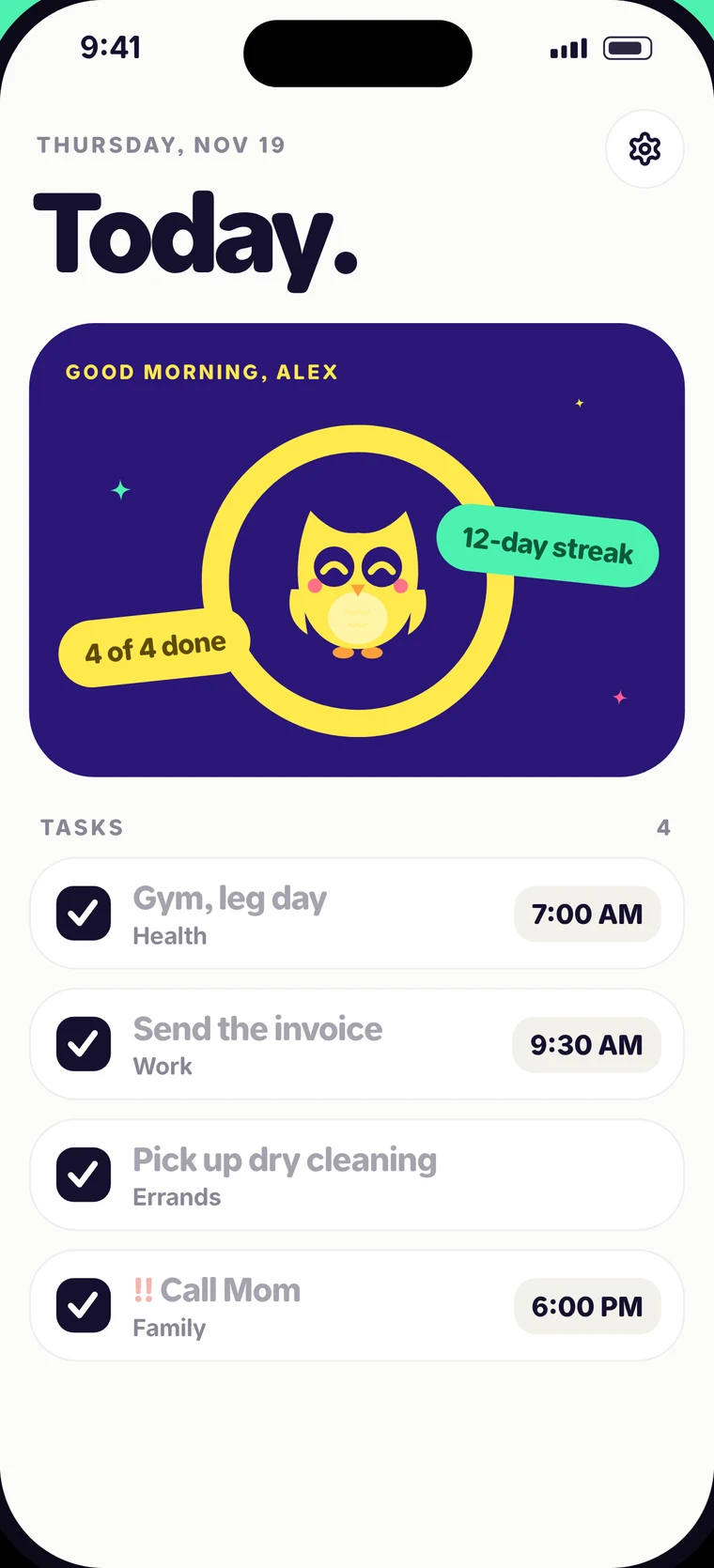
Each task you tick fills the ring. Finish them all and the owl notices.
Write “Call Mom tomorrow 6pm !!” and Sova fills in the date, the time and the priority. “Every Monday” makes it repeat.
Today shows what is due, the rituals you planned and anything overdue. Up Next picks the one thing to do now. Swipe anything else to tomorrow.
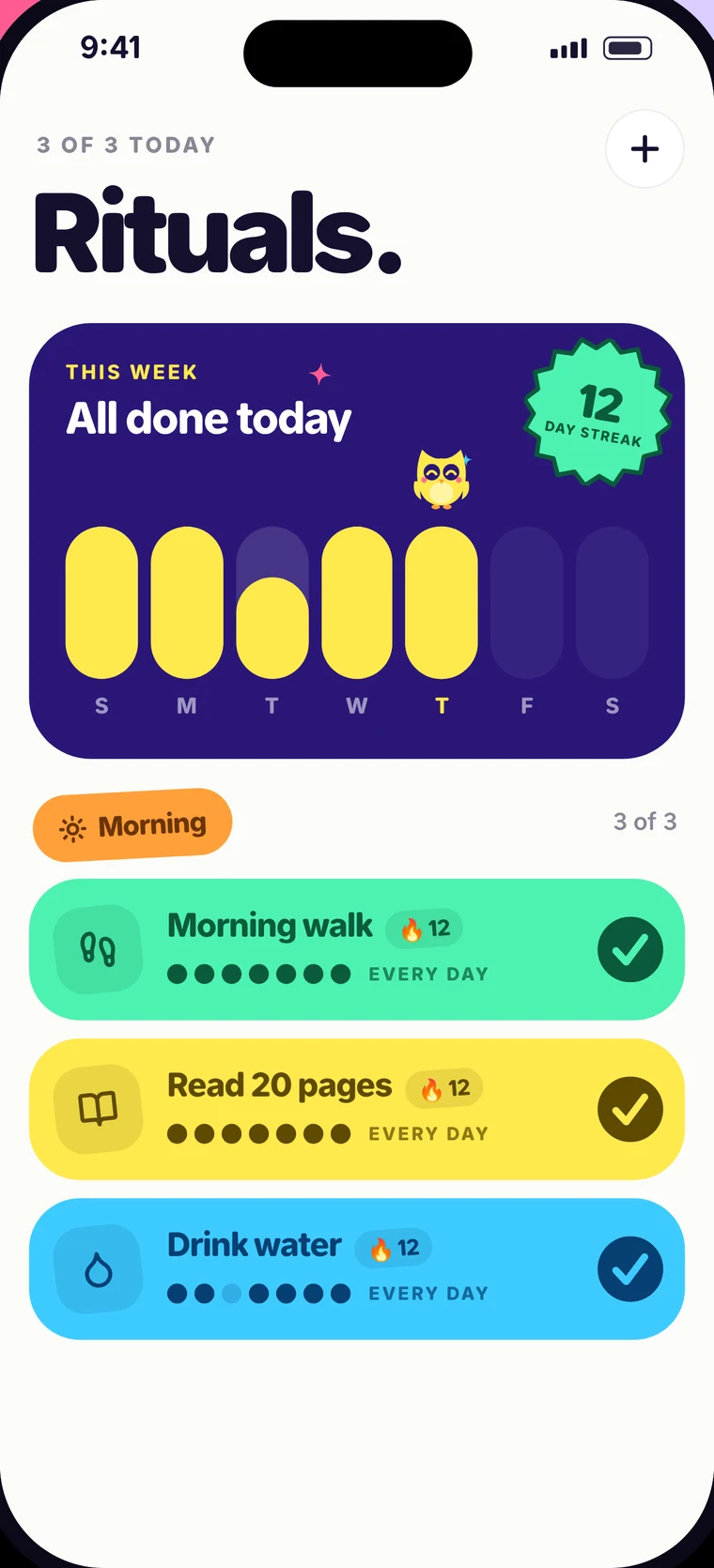
Set which days a ritual happens and when: morning, afternoon or evening. Tick it off and the streak counts up. Rest days don’t break it.
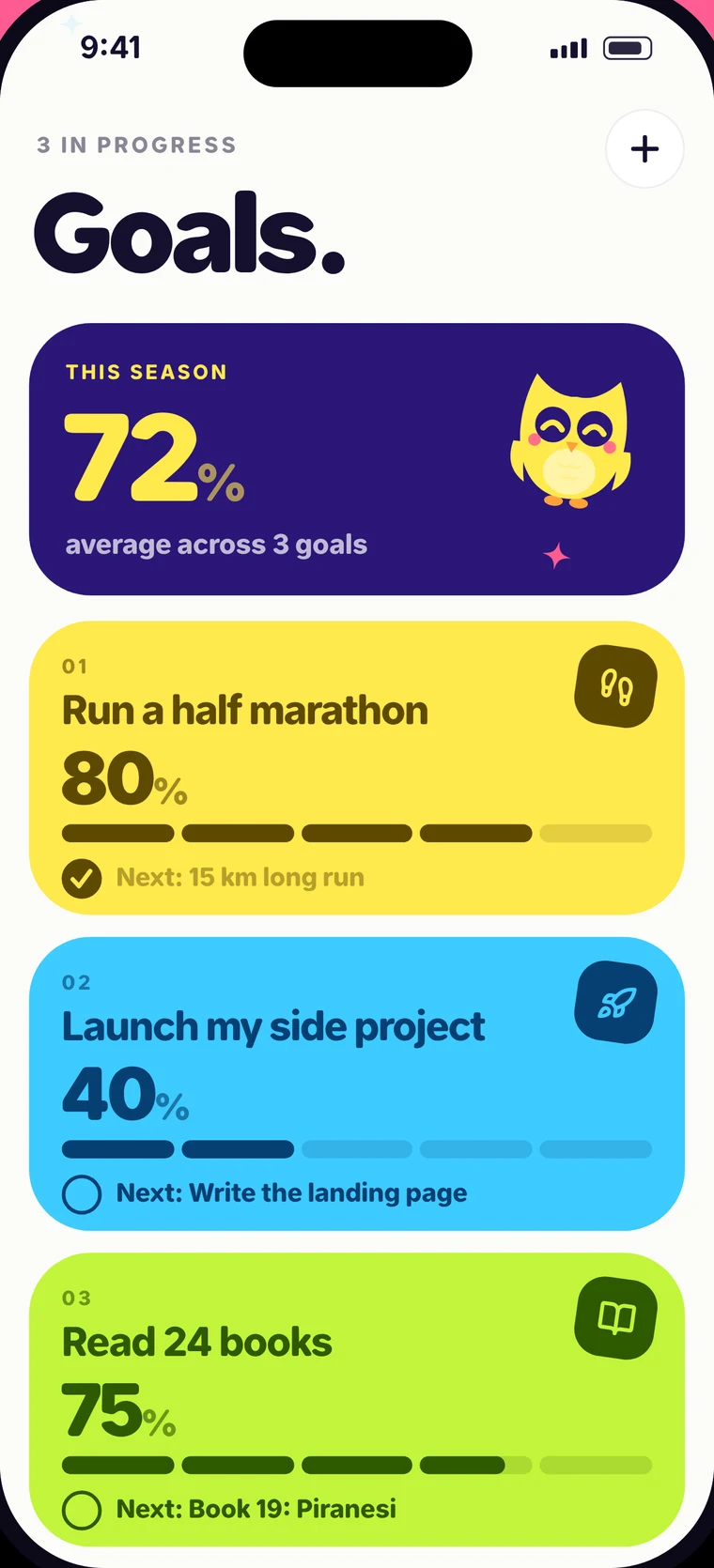
Give a goal a deadline and break it into steps. Each step you tick moves the percentage, and tasks can link to the goal they serve.
Today, quick capture, rituals, goals and the night theme, all from the app itself.
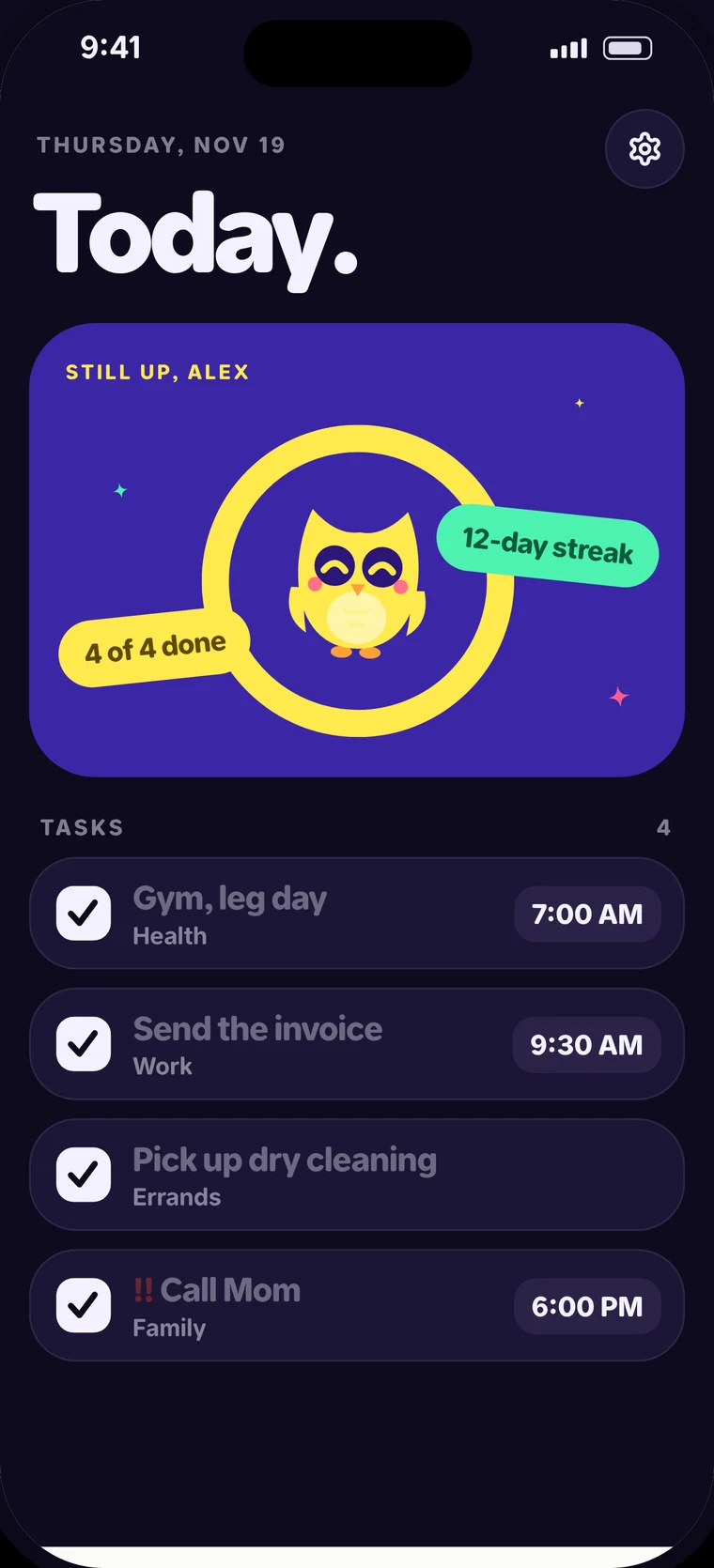
Dark mode follows your iPhone, or you can set it yourself. The owl turns yellow so it still stands out at night.
Sova's widgets work without opening the app. Try it: tap a ritual.
The Today widget shows your ring. The Rituals widget checks habits off with one tap.
Add tasks by voice. Every action is also in the Shortcuts app.

A notification at the task's time, or a few minutes before. Repeat daily, weekly or monthly.
Ticked, moved or deleted something by mistake? One tap brings it back.
Short tones and taps when you check things off. Sounds follow the silent switch.
Your week at a glance, a 17-week activity calendar and your most consistent rituals.
Some rituals take more than one tap: 8 glasses of water, 3 sets. The ring fills as you go.
Finish, snooze or move a task right from its notification, without opening the app.
Apple Intelligence breaks a goal into first steps, right on your iPhone. Nothing leaves it.
Your data stays on your iPhone, or in your own iCloud with Plus.
A short film showing quick capture, Today, rituals, goals and dark mode.
Tasks, widgets, Siri and dark mode are free. Plus adds unlimited rituals and goals, iCloud sync and app icons.
Everything you need every day.
For people who want it all.
That's about $2.08 a month.
Try it free for 7 daysPay once. Keep Plus forever.
| Compare | Sova | Plus |
|---|---|---|
| Tasks, alerts and repeats | Unlimited | Unlimited |
| Rituals | 5 | Unlimited |
| Active goals | 3 | Unlimited |
| Widgets and Lock Screen | ||
| Siri and Shortcuts | ||
| Insights and dark mode | ||
| iCloud sync | – | |
| Extra app icons | – |
Prices in USD. Local prices may vary. Subscriptions renew automatically until cancelled.
Tap + and type the way you would say it, like “Call Mom tomorrow 6pm !!”. Sova reads the day, the time, repeats like “every Monday” and priority from !! or !!!.
Pick daily, weekdays, weekly, monthly or yearly. When you finish one, Sova creates the next one automatically. Tap Undo if you didn't mean to.
Touch and hold your Home Screen, tap Edit, then Add Widget and search for Sova. The Rituals widget lets you tick habits off without opening the app.
Yes. Everything works without a connection. With Sova Plus and iCloud sync on, changes sync the next time you're online.
Yes. Unlimited tasks, 5 rituals, 3 active goals, widgets, Siri, Insights and dark mode are free with no time limit.
You keep Plus until the end of the period you paid for. After that, nothing is deleted. You just can't add more than 5 rituals or 3 active goals.
Cancel in iPhone Settings → your name → Subscriptions → Sova. To restore on a new iPhone, open Sova → Settings → Restore purchases.
No. There's no sign-up, email or password. Open the app and start.
On your iPhone. If you turn on iCloud sync with Plus, it's kept in your own private iCloud. We never see your data, and there is no tracking or ads.
Sova is free on iPhone. Add your first task in a few seconds, no account needed.